

If you have ever heard that installing your own messenger service on your local or corporate network is difficult, we'll try to convince you that it doesn't have to be.
MyChat office messenger is a product that works as soon as it's launched, without requiring any initial setup.
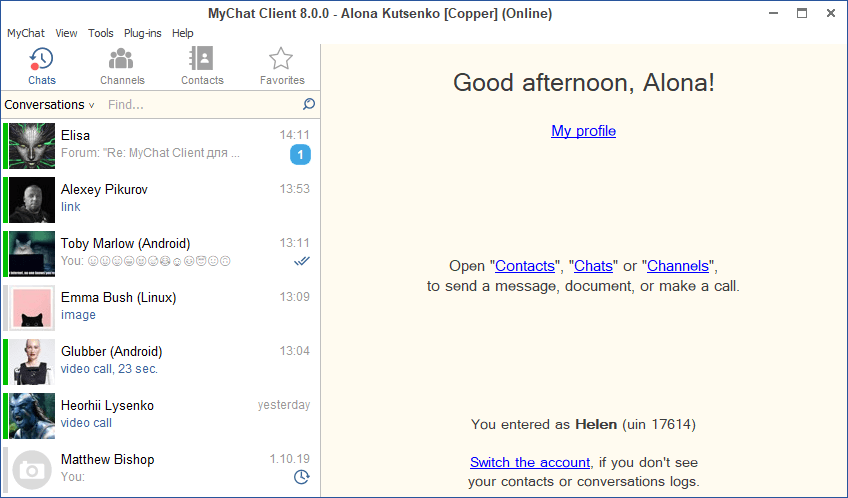
So how does MyChat work?
First of all, you need to understand that MyChat is a client-server program. This means that there is one MyChat server, which serves any number of clients (users' computers).
It looks something like this:
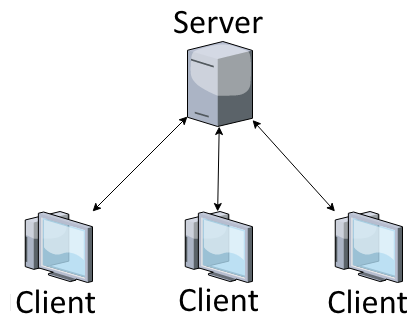
The server is one computer within your network, where MyChat Server is installed. The clients are the workstations where people in your corporate chat work. They have MyChat Client installed on them.
MyChat works on the TCP/IP protocol. This is a standard protocol for exchanging data within a local network, or on the internet. Yes, that's right: MyChat can work just as well over the internet as it does on your local network!
The server and client can be downloaded here.
Server installation
You can read up-to-date instructions on server installation for your company network in the online Help.
First, you need to install MyChat Server. Download the distribution, unzip the file mcserv-vX-XX-X.exe, where X–XX–X is the current server version number, and launch it.
You will need administrator status!
Launch the installed file, install the program, and launch it right away.
Your MyChat server is ready to use, and is set up automatically.
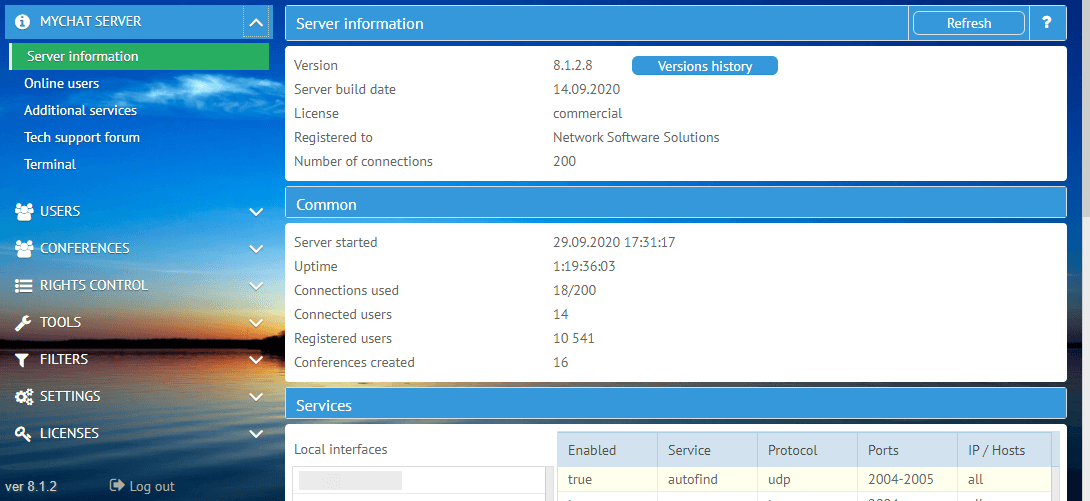
IP addresses
First, let's get our network sorted. Since the chat uses the TCP/IP protocol, each computer in your network will need its own address. Usually, these addresses are something like 192.168.0.1, 192.168.0.2, and so on.
You can see the IP address allocated to a given computer running Windows XP, 2000, or 2003 by opening the menu: "Start" — "Settings" — "Network connections" — "Connect to local network", and clicking the "Properties" button.
Under Windows Vista, 7, 8, and 10, you need to go to "Start" — "Control panel" — "Network and Internet" — "Network and general access management center" — "Change adapter parameters", select the network adapter that is connected to the network, go into its properties:
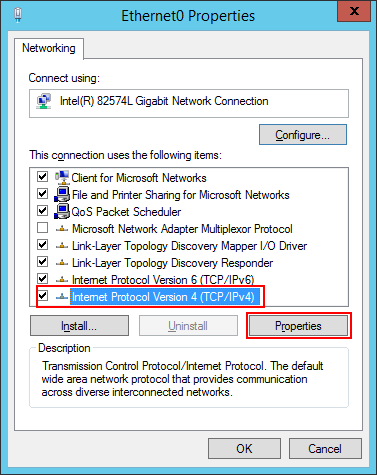
click on "Properties" in that window, and the IP address is there.
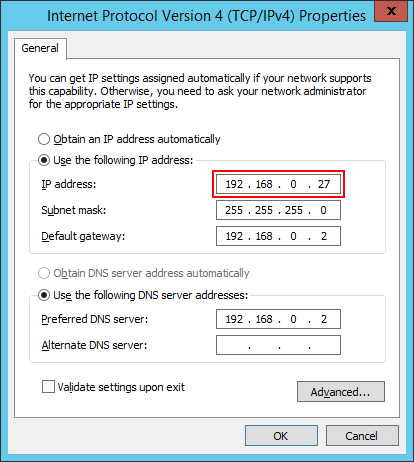
This is the address that will need to be entered into the MyChat clients' settings to connect them to the server.
If your network uses DHCP and IP addresses are assigned to everyone automatically, an exception will have to be made for the MyChat server.
The computer running the server must have a static address.
Client installation
Now, with the chat server set up and working, and with you aware of its IP address, let's set up the chat client on the computers in your network.
The details of how to install the client are described in the online Help.
As soon as you launch MyChat Client for the first time, you will see the connection wizard:
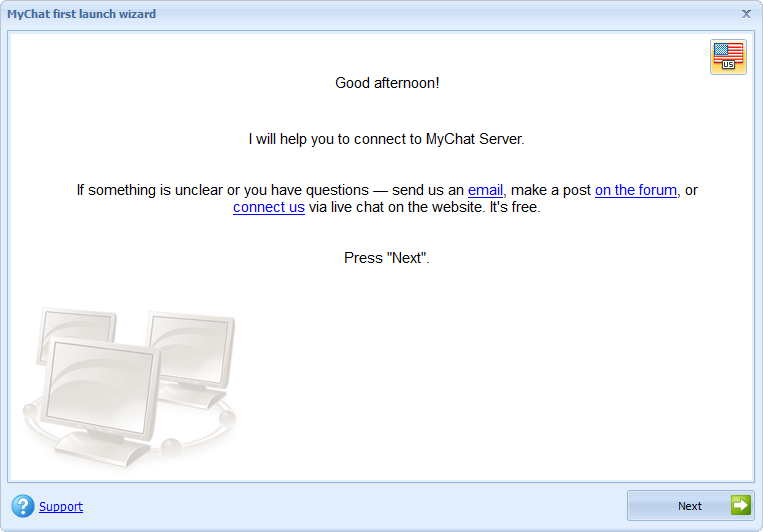
If you know the address of your server, you can ask the program to find it automatically or you can enter it manually:
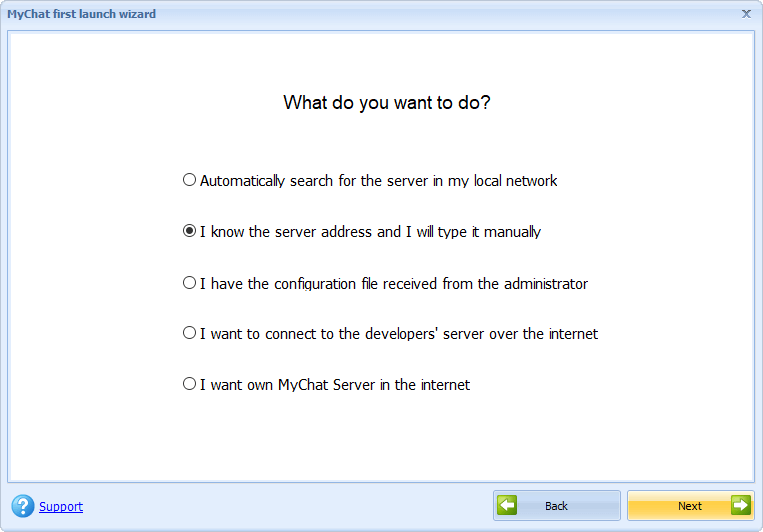
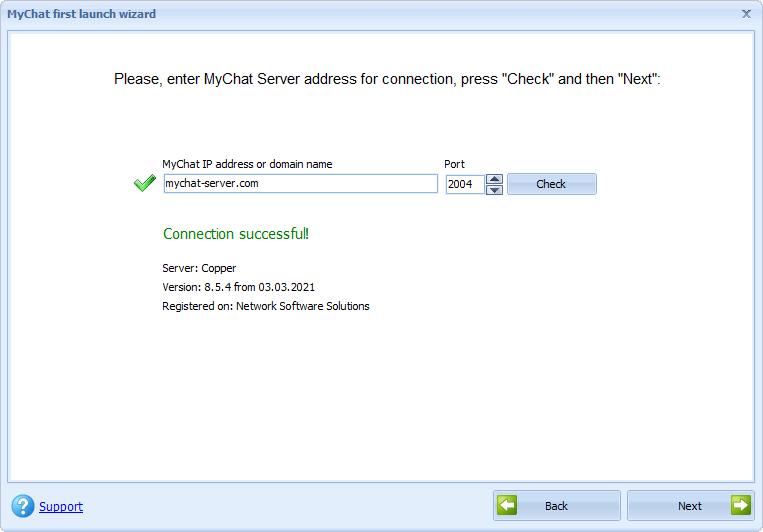
Once the connection is checked successfully, the user can register immediately and connect to the server:
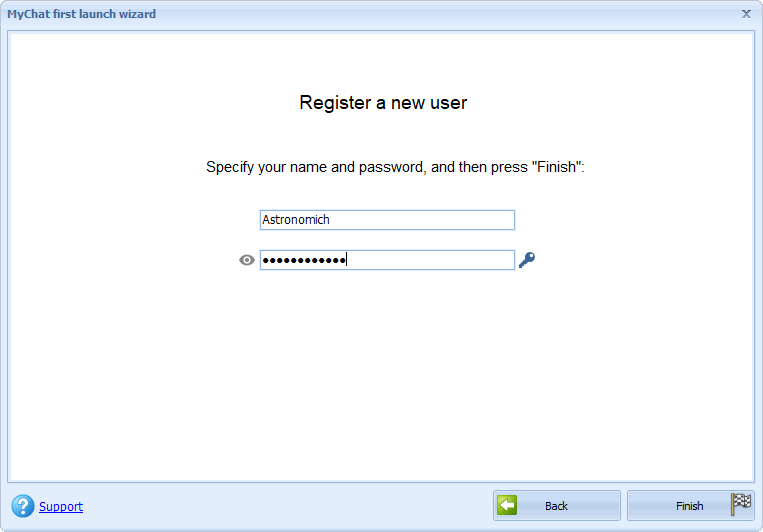
If everything is done correctly, you will be connected to the server and you can join the chat.
No need to read on. :)
If something hasn't worked, let's find out what.
If you haven't managed to connect
I've done everything according to the instructions, but the client won't connect! I get an error message.
Yes, sometimes things go wrong. But everything can be put right.
The first reason is carelessness.
Of course, you've done everything carefully But do check once again to make sure you've entered the right address for the server and the right connection port. Everybody slips up now and again, really—and then they spend ages looking for the mistake in the wrong place. So just check.
Is everything right? And it still doesn't work. Then
The second reason is an incorrect IP address.
A real case (the quotation comes from our mailbag):
"The server was put on my machine with an IP of 127.0.0.4. When other users try to connect to it, they get '10061 connection error'. What can I do? The ports (for the client and the server) are the same. I've entered the server IP address 127.0.0.4 on the clients. But nothing does any good. What's the problem?"
The problem was this: "You entered the wrong addresses for the computers in your local network.
All addresses of the form 127.x.x.x are what we call loopbacks, used to test whether the local network interface is working or not.
Your computers need to have addresses like 192.168.0.1, 192.168.0.2, and so forth."
Might this be what's wrong for you, too?
The third reason is your firewall or anti-virus software.
Firewalls and anti-virus programs may block incoming and outgoing packets of information from your server or from the client. This may be built into Windows, or it may be a third-party software product such as Outpost Firewall, Comodo Firewall, Kaspersky, etc. It's difficult to give exact recommendations because it all depends on the specific program.
But the essence is always the same: you need to permit incoming and outgoing traffic for MyChat server and client.
In any event, it's worth reading the recommendations from your specific anti-virus package or firewall for permitting network programs to work.
Sometimes, a user simply accidentally bans MyChat network activity "on autopilot", as a matter of habit, without reading what the window from the computer's security program actually says. And then it turns out that the ban has been set up automatically, and you only need to lift it for the chat to work. So, just pay attention and everything will work out.
We hope our recommendations help you install MyChat, even if you're not especially familiar with the technical details of network functionality.
Because MyChat is a program that’s accessible to all!
| < <<<===== | =====>>> > |
|---|
